
Description
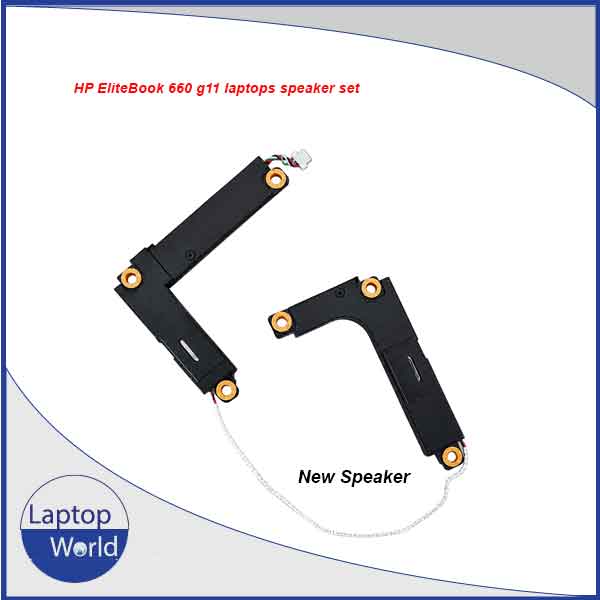
HP EliteBook 660 G11 Laptop Speaker Set – Left & Right Speaker Replacement
Restore clear and reliable audio to your HP EliteBook 660 G11 with this high-quality replacement laptop speaker set. Designed as a left + right internal speaker assembly, this replacement is ideal for replacing speakers that produce distorted, low, crackling, buzzing, or no sound.
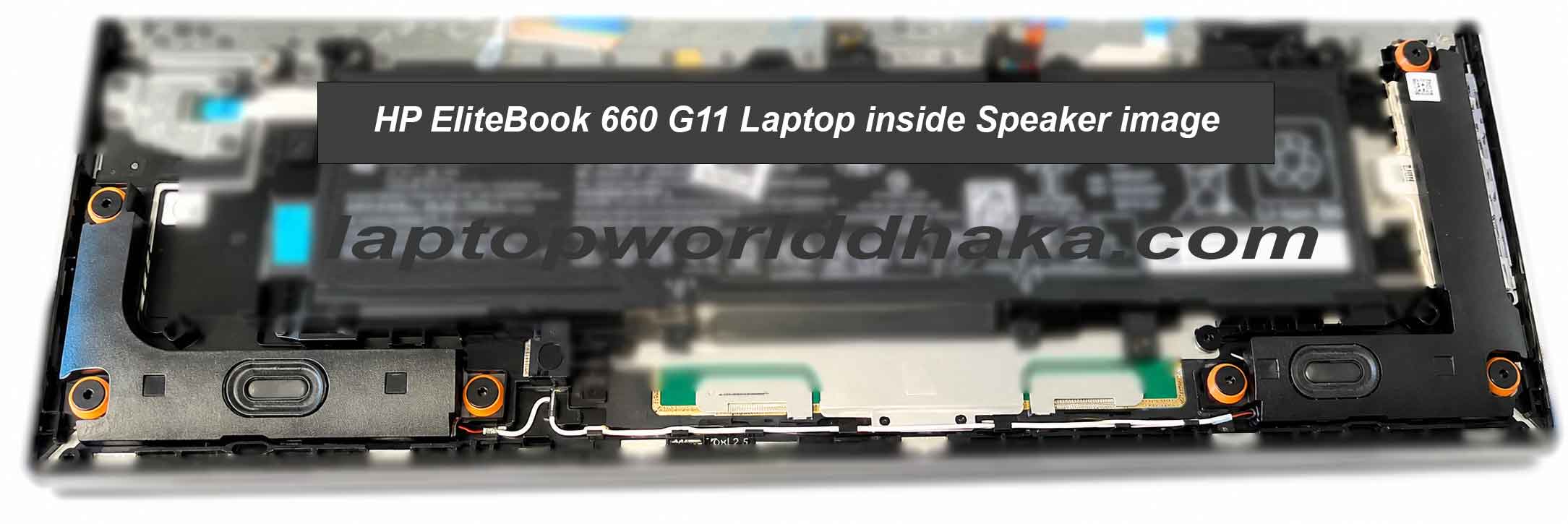
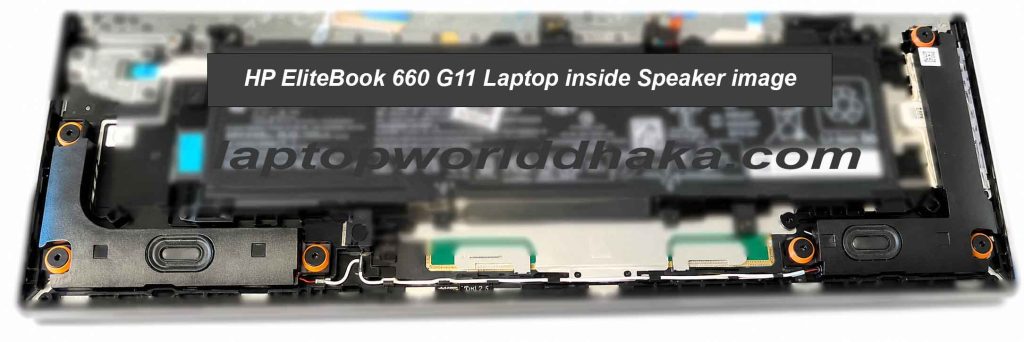
The speaker set is designed to fit inside the laptop chassis and connect to the existing speaker connection. It provides a practical solution for technicians, repair shops, and users who need to replace damaged or defective internal speakers without replacing the entire laptop.
Key Features
- Compatible with HP EliteBook 660 G11
- Complete left and right speaker set
- Designed for direct internal replacement
- Clear and balanced audio output
- Suitable for replacing damaged or faulty speakers
- Compact design for proper installation inside the laptop
- Uses the laptop’s existing speaker connection
- Ideal for laptop repair technicians and replacement-part users
- Professional-quality replacement component
- Tested for basic functionality before dispatch
Why Replace Your HP EliteBook 660 G11 Speakers?
A damaged internal speaker can cause several audio problems, including:
- Crackling or distorted sound
- Very low volume
- Buzzing or rattling noise
- One speaker not working
- No sound from the internal speakers
- Physical damage to the speaker assembly
Replacing the complete speaker set can help restore the laptop’s original-style audio performance and improve the overall multimedia experience.
Compatibility
This speaker set is specifically intended for:
HP EliteBook 660 G11 Series Laptop
Important: Laptop parts can vary by configuration or revision. Please compare your existing speaker assembly, connector, shape, mounting points, and part number with the product photos before ordering.
Package Includes
- 1 × Left Internal Speaker
- 1 × Right Internal Speaker
Note: Laptop, motherboard, battery, and other components shown in product images are not included unless specifically stated.
Replacement Guide
Replacing the internal speakers requires basic laptop repair knowledge. If you are not familiar with laptop disassembly, we recommend using a qualified technician.
Step 1 – Power off the laptop
Shut down the HP EliteBook 660 G11 completely and disconnect the AC adapter.
Step 2 – Open the bottom cover
Remove the screws securing the bottom cover and carefully separate the cover from the laptop chassis using an appropriate plastic pry tool.
Step 3 – Disconnect the battery
Before working on the internal components, disconnect the battery from the motherboard to reduce the risk of electrical damage.
Step 4 – Remove the original speakers
Locate the left and right speaker assemblies. Disconnect the speaker cable/connector and remove the screws or clips securing the speakers.
Step 5 – Install the replacement speakers
Position the new left and right speakers in their original locations. Make sure the mounting points and cable routing match the original assembly.
Step 6 – Connect the speaker cable
Reconnect the speaker connector securely to the motherboard. Ensure the cable is routed correctly and does not interfere with other components.
Step 7 – Reconnect the battery
Reconnect the battery and carefully reinstall the bottom cover.
Step 8 – Test the speakers
Power on the laptop and play an audio file or video. Test both speakers at different volume levels to confirm proper operation.
Warranty Policy
We provide a short warranty against manufacturing defects and functional failure under normal use.
Warranty covers:
- Speaker not producing sound
- Manufacturing defects
- Abnormal sound caused by a defective speaker
- Functional failure under normal operating conditions
Warranty does not cover:
- Physical damage
- Broken connectors or cables caused by installation
- Water or liquid damage
- Burn or electrical damage
- Damage caused by incorrect installation
- Modification or opening of the speaker assembly
- Damage caused by incompatible laptop models
Before installation: Please test the speaker assembly carefully before permanently installing it. We recommend professional installation to avoid accidental damage.
SEO Keywords
HP EliteBook 660 G11 speaker, HP 660 G11 speaker, HP EliteBook 660 G11 speaker replacement, HP 660 G11 laptop speaker, HP EliteBook 660 G11 internal speaker, HP 660 G11 left right speaker, HP EliteBook 660 G11 speaker set, HP 660 G11 audio speaker, HP laptop speaker replacement, EliteBook 660 G11 replacement speaker, HP 660 G11 speaker price Bangladesh
Reviews
There are no reviews yet.