
Description
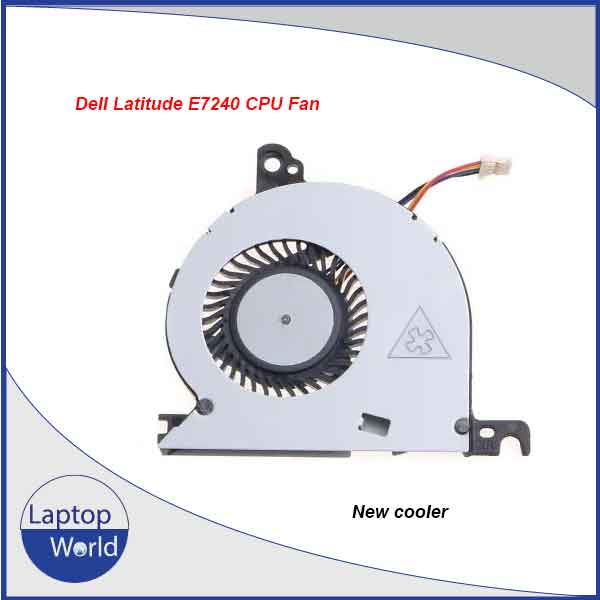
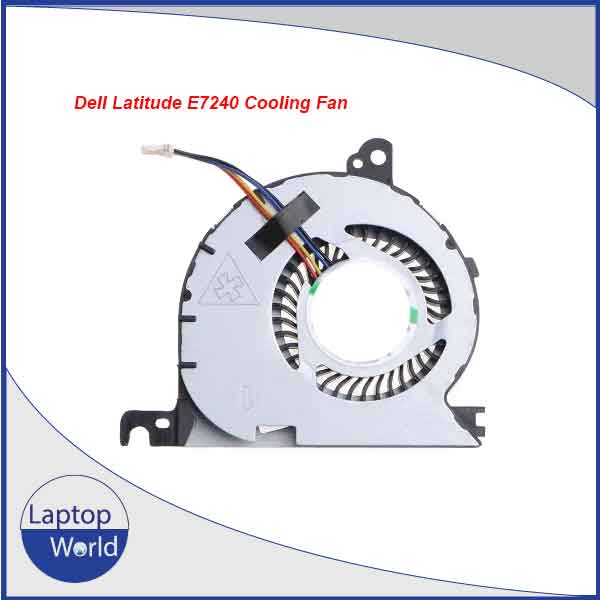
Dell Latitude E7240 Laptop CPU Cooling Fan
The Dell Latitude E7240 Laptop CPU Cooling Fan is a reliable replacement cooling component designed to help maintain proper operating temperatures and stable performance. If your laptop fan is making unusual noise, running intermittently, becoming excessively hot, or failing to spin properly, replacing the cooling fan can help restore effective airflow and heat dissipation.
This CPU cooling fan is designed specifically for the Dell Latitude E7240, making it a suitable replacement option for laptop repair, maintenance, and servicing. The compact design allows the fan to fit into the laptop’s internal cooling assembly while helping remove heat generated by the CPU during normal operation.
A properly functioning cooling fan is important for preventing excessive heat buildup. Good cooling performance can help reduce thermal throttling, unexpected shutdowns, system slowdowns, and potential heat-related component damage. This replacement fan is suitable for technicians, repair shops, and users looking to replace a faulty or worn-out internal fan.
Key Features
- Compatible with Dell Latitude E7240
- Designed for CPU cooling and heat dissipation
- Ideal replacement for noisy or faulty fans
- Helps maintain stable laptop operating temperature
- Suitable for laptop repair and maintenance
- Compact internal replacement component
- Easy to install by a qualified technician
User Manual / Installation Guide
- Shut down the laptop completely and disconnect the AC adapter.
- Remove the laptop’s back cover carefully.
- Disconnect the battery before servicing internal components.
- Locate the existing CPU cooling fan and disconnect its connector.
- Remove the screws securing the old fan.
- Install the replacement Dell Latitude E7240 CPU Cooling Fan in the original position.
- Reconnect the fan connector and battery.
- Reinstall the back cover and power on the laptop.
- Check that the fan spins normally and that the laptop operates without abnormal noise or overheating.
Important: Installation should be performed by a qualified laptop technician. Before purchasing, compare the fan’s connector, mounting points, and physical design with your original fan.
SEO Keywords
Dell Latitude E7240 CPU Cooling Fan, Dell E7240 Laptop Fan, Dell Latitude E7240 Cooling Fan, Dell E7240 CPU Fan, Dell Latitude E7240 Fan Replacement, Dell E7240 Cooling Fan Replacement, Dell Latitude E7240 Laptop Cooling Fan, Dell E7240 Internal Fan, Dell Latitude E7240 Processor Fan, Dell E7240 Replacement Fan, Dell Laptop CPU Cooling Fan, E7240 Laptop Fan Price in Bangladesh.

Reviews
There are no reviews yet.